

HubSpot referral tracking lets you monitor referral traffic, leads, and customers through UTM parameters, contact properties, workflows, and native analytics tools. Setting it up properly means you can attribute revenue to specific referral sources—and build smarter referral programs over time.
Referrals are one of the highest-converting lead sources a business can have. Yet most companies either don’t track them at all, or rely on spreadsheets that break down the moment volume picks up. If you’re running referral campaigns and using HubSpot as your CRM, you have everything you need to track, analyze, and automate referral performance—without a single extra tool.
This guide covers the full picture: how HubSpot’s referral tracking system works, how to set up a customer referral program inside HubSpot CRM, how to use referral source reporting and analytics, and how to automate the entire process using workflows. Whether you’re tracking referral traffic from partners, affiliates, or satisfied customers, this post will show you exactly how to get it done.
How does HubSpot’s referral tracking system work?
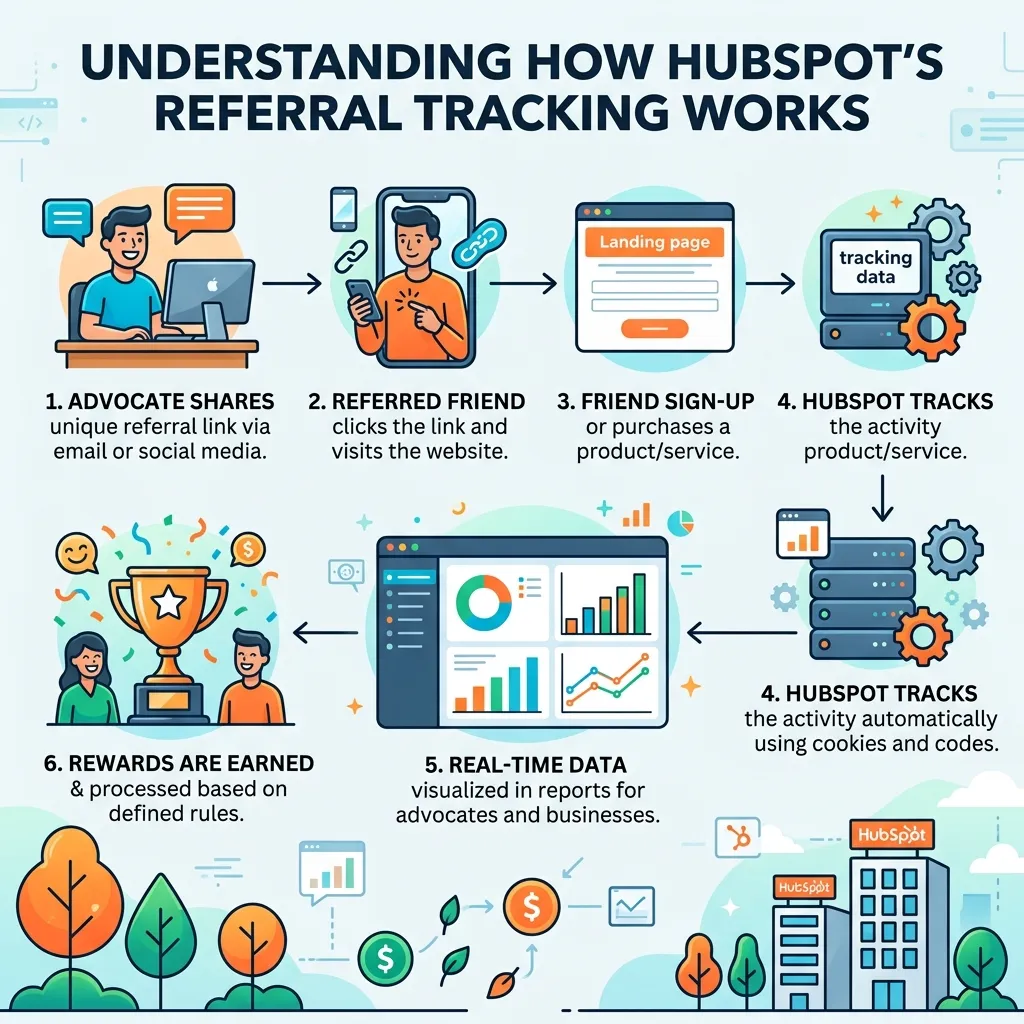
HubSpot referral tracking operates across several layers of the platform—web analytics, CRM contact properties, and marketing attribution. Each layer captures a different part of the referral journey.
At the traffic level, HubSpot tracks referral sources through its built-in analytics tool, which records where visitors come from before landing on your site. At the lead level, UTM parameters capture referral data when a contact fills out a form. At the deal level, custom contact and deal properties allow your sales team to log and view referral information directly in the CRM.
Together, these tools give you a complete view of the referral lifecycle—from first click to closed deal. This foundation becomes even more valuable when paired with a well-planned referral marketing strategy that aligns marketing and sales efforts.
How to track referral traffic in HubSpot
HubSpot’s traffic analytics report includes a dedicated “Referrals” source category. To access it, navigate to Reports > Analytics Tools > Traffic Analytics, then select the Sources tab.
Here, HubSpot automatically classifies incoming traffic into categories including:
- Organic Search
- Direct Traffic
- Referrals — visits from external websites linking to yours
- Social Media
- Email Marketing
The Referrals category captures traffic from third-party websites, partner pages, review platforms, and directories. You can drill into this category to see which specific domains are sending traffic your way.
Pro tip: To get more granular data, use UTM parameters in all referral links. HubSpot reads UTM values (utm_source, utm_medium, utm_campaign) and maps them to contact records automatically when a visitor converts on a form.
Setting up UTM parameters for HubSpot lead referral tracking

UTM parameters are the backbone of HubSpot lead referral tracking. They become even more effective when they’re part of a structured referral management system that standardizes how referrals are captured and reported.
Here’s a basic example:
https://yourwebsite.com/demo?utm_source=partner&utm_medium=referral&utm_campaign=q3-partner-program
When a contact submits a form after clicking this link, HubSpot stores the UTM values in the contact’s record under properties like:
- Original Source
- Original Source Drill-Down 1 (utm_source)
- Original Source Drill-Down 2 (utm_campaign)
- Latest Traffic Source
Use HubSpot’s UTM builder tool (Marketing > Planning and Strategy > UTM Parameters) to generate consistent, trackable links for every referral partner or campaign.
How to set up a HubSpot customer referral program
HubSpot doesn’t include a native referral program feature out of the box, but you can build a highly functional customer referral program setup using a combination of custom properties, forms, workflows, and lists.
If you’re building your first referral initiative, our guide on how to build a customer referral program covers the strategic planning, incentives, and launch process before configuring everything inside HubSpot.
Step 1: Create a custom “Referred By” contact property
Go to Settings > Properties > Contact Properties and create a new property called “Referred By.” Set it as a single-line text field. This is where you’ll store the name or ID of the referring customer.
Step 2: Build a referral intake form
Create a landing page or embed a form where referred leads can enter their information, including the name of who referred them. Map this field directly to your “Referred By” contact property.
Alternatively, use a hidden form field populated by a URL parameter—so when a customer shares their personal referral link, the referral source is captured automatically without requiring the new lead to type anything.
Step 3: Segment referred leads into a smart list
Create an active list filtered by contacts where “Referred By” is known. This becomes your referral lead pool, which you can use for targeted follow-up, reporting, and nurturing.
Step 4: Notify your sales team
Use a HubSpot workflow to send an internal notification to the assigned rep whenever a new referred lead enters the list. Include the referral source in the notification so reps can personalize their outreach.
How to automate referral tracking in HubSpot with workflows
HubSpot workflows are one of the most powerful tools for automating referral tracking at scale. Here are three workflow setups worth implementing.
Workflow 1: Auto-tag referral contacts
Trigger: Contact submits referral intake form
Action: Set “Lead Source” property to “Referral” → Assign to referral pipeline → Send internal notification to sales rep
Workflow 2: Reward referring customers automatically
Trigger: Contact property “Referred By” is known AND deal stage = “Closed Won”
Action: Send a personalized thank-you email to the referring customer → Optionally trigger a reward fulfillment step via a connected tool like Tremendous or Sendoso
Workflow 3: Track referral program performance over time
Trigger: Contact is enrolled in referral list
Action: Add contact to a Google Sheet via Zapier or Operations Hub → Log conversion events at each deal stage for external reporting
Each of these workflows can be built using HubSpot’s visual workflow editor, without any coding required.
HubSpot referral source reporting: what to measure

HubSpot referral analytics live across multiple reporting areas. Here’s where to find the most useful data.
Traffic-level reporting
Reports > Analytics Tools > Traffic Analytics > Sources
Use this to monitor referral website traffic trends over time. Filter by date range and compare referral traffic to other sources to understand its relative contribution.
Contact-level reporting
Build a custom report using the Contacts dataset, filtered by “Original Source = Referral.” Add columns for lead-to-customer conversion rate, deal value, and time to close. This tells you not just how many referral leads you’re getting, but how valuable they are.
Deal-level reporting
If your sales team logs referral sources at the deal level, build a pipeline report filtered by your referral source property. Track total referral revenue by month or quarter.
Attribution reporting (Marketing Hub Enterprise)
HubSpot’s multi-touch attribution reports (available in Marketing Hub Enterprise) let you assign revenue credit to the referral touchpoint within a longer customer journey. This is especially useful when referrals are one of several marketing touchpoints before conversion.
HubSpot CRM referral performance tracking: best practices
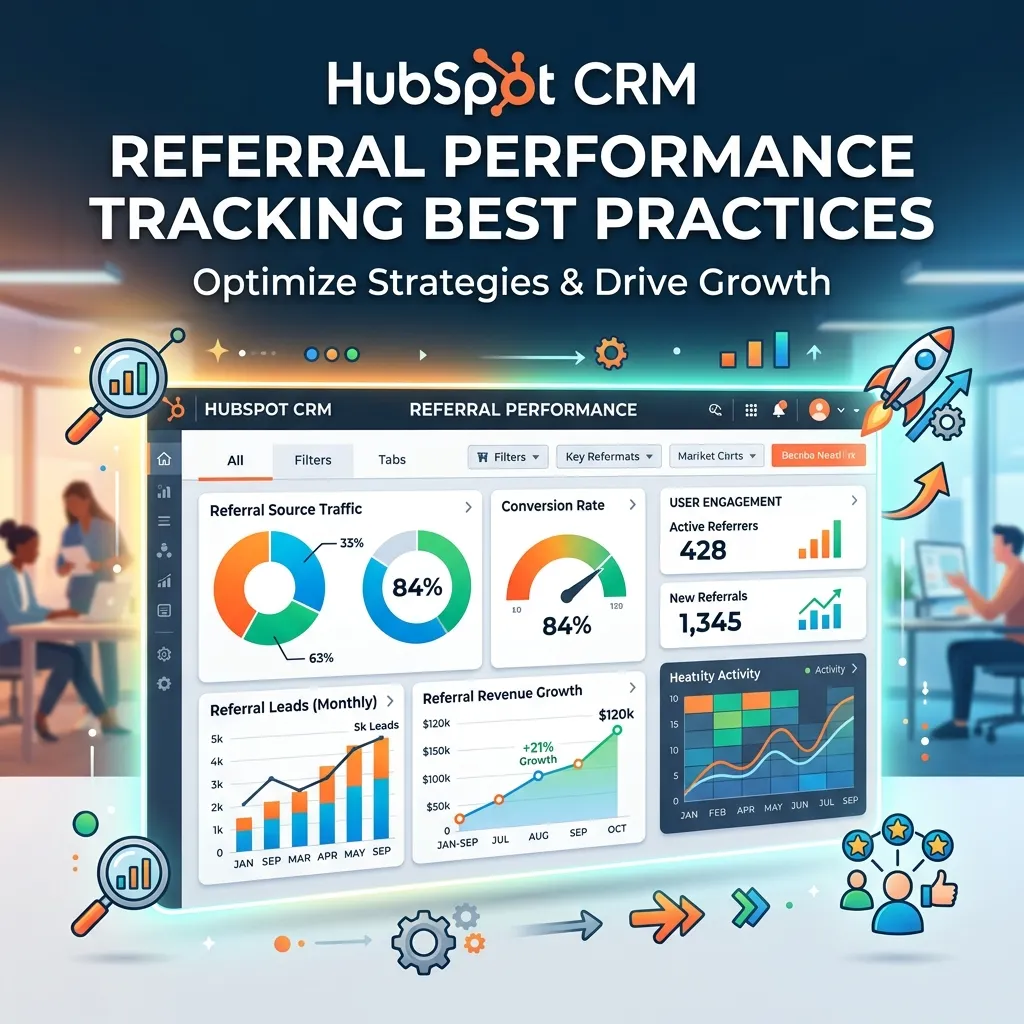
To get the most out of HubSpot CRM referral performance tracking, consistency matters more than complexity. Here are the practices that make the biggest difference.
Standardize your UTM naming conventions. If some campaigns use utm_source=partner and others use utm_source=Partner or utm_source=referral-partner, your data will be fragmented. Document a naming convention and enforce it across your team.
Audit referral properties quarterly. Contact properties can drift over time—especially if multiple team members are manually entering referral data. Schedule a quarterly audit to clean up inconsistent values and merge duplicates.
Track both the referrer and the referee. Most teams only track the new lead. The more valuable long-term dataset is the referring customer: how many leads have they sent? How many converted? What’s their lifetime referral value? Build contact properties and reports to track this on the referrer side as well.
Close the loop with referring customers. When a referred lead converts, trigger a workflow that notifies—and thanks—the referring customer. This improves referral program participation rates and builds goodwill with your best advocates.
Is third-party referral marketing tracking software worth adding to HubSpot?
HubSpot handles the core of referral tracking well, but it wasn’t built specifically for referral programs. If your referral program is a significant growth channel, you may want to connect HubSpot with dedicated referral marketing tracking software.
Tools like ReferralHero, Referral Factory, and Friendbuy integrate directly with HubSpot via native integrations or Zapier. They handle the referral mechanics—unique referral links, reward tracking, leaderboards—and push lead and conversion data back into HubSpot automatically.
Choose a dedicated referral tool if: your program involves multiple tiers, cash rewards, or affiliate-style tracking at volume.
Stick with native HubSpot if: your referral volume is manageable, your program is simple, and you want to minimize your tech stack.
Build a referral engine that actually compounds
Referral tracking isn’t a one-time setup task. The businesses that grow fastest from referrals are the ones that treat their referral data as a feedback loop—reviewing what’s working, doubling down on high-performing partners, and continuously improving the experience for both referrers and referred leads.
HubSpot gives you the infrastructure to do all of that in one place. Start with clean UTM parameters and a “Referred By” property, build a few core workflows, and set up a monthly referral performance report. From there, the system builds on itself.
The best referral programs aren’t complicated—they’re consistent.
Frequently asked questions
Does HubSpot have a built-in referral tracking tool?
HubSpot tracks referral traffic natively through its Sources analytics report, and it stores UTM data on contact records automatically. However, HubSpot does not include a dedicated referral program tool. You can build referral tracking using custom properties, forms, and workflows, or integrate a third-party referral platform.
How do I track referral sources in HubSpot CRM?
Use UTM parameters on all referral links so HubSpot captures the source when a contact converts. Map utm_source and utm_campaign values to the “Original Source Drill-Down” contact properties. You can also create a custom “Referred By” property and populate it via forms or manual entry by your sales team.
Can I automate a referral program in HubSpot?
Yes. Using HubSpot workflows, you can automate referral contact tagging, internal sales notifications, thank-you emails to referring customers, and reward triggers when a referred deal closes. More complex programs with unique referral links and tiered rewards typically require a third-party integration.
What’s the difference between referral traffic and referral leads in HubSpot?
Referral traffic refers to website visitors who arrived from an external site. Referral leads are contacts who converted (e.g., filled out a form) and whose original source is attributed to referral traffic or a UTM-tagged referral link. HubSpot tracks both, but they live in different parts of the platform—traffic analytics versus contact records.
Which HubSpot tier do I need for referral attribution reporting?
Basic referral source tracking is available on all HubSpot tiers. Multi-touch attribution reporting, which lets you assign revenue credit to specific referral touchpoints across a customer journey, requires Marketing Hub Enterprise.
What is HubSpot Referral Tracking?
HubSpot Referral Tracking is a system that uses analytics, UTM parameters, and CRM data to track referral traffic, leads, and conversions.
How does HubSpot track referral traffic?
It uses the Sources report in analytics tools to identify visitors coming from external websites.
Can I track referral leads in HubSpot CRM?
Yes, you can track referral leads using UTM parameters and custom contact properties like “Referred By.”
Does HubSpot automatically track referrals?
HubSpot automatically tracks referral traffic, but lead-level tracking requires UTM setup or CRM configuration.
What are UTM parameters in HubSpot referral tracking?
UTM parameters are tags added to URLs to identify referral sources like utm_source, utm_medium, and utm_campaign.
Can I automate referral tracking in HubSpot?
Yes, you can use workflows to tag leads, notify sales teams, and trigger rewards automatically.
How do I set up a referral program in HubSpot?
You can create custom properties, forms, lists, and workflows to build a full referral program.
What is the difference between referral traffic and referral leads?
Referral traffic is website visits from external links, while referral leads are converted contacts tracked in CRM.
Can HubSpot track referral revenue?
Yes, using deal-level reporting and attribution tools, especially in higher-tier plans.
Do I need extra tools for HubSpot referral tracking?
Not always—basic tracking is built-in, but advanced programs may require third-party referral software integrations.



[…] alongside other customer data rather than living in an isolated silo. Our step-by-step guide on HubSpot referral tracking shows what this kind of integration looks like in practice with one of the most widely used CRM […]